The Complete WhatsApp CRM Guide for 2026: Structuring High-Volume Conversational Sales & Support
In 2026, WhatsApp has solidified its position as the primary communication channel for consumer sales, lead qualification, and customer support. With open rates exceeding 98% and response times measured in seconds rather than hours, businesses no longer ask if they should be on WhatsApp—they ask how to scale operations on WhatsApp without breaking customer experience (CX).
Yet, despite the massive adoption of WhatsApp Business APIs, most high-volume brands operate with tools designed for 2020. They either drown in flat, unorganized shared inboxes or attempt to bolt WhatsApp integrations onto legacy email helpdesks and traditional CRMs.
The result? Missed high-intent leads, agent collision, rigid IVR chatbot frustration, and zero visibility into where buyers actually sit in their journey.
This master guide breaks down the architecture of a modern, native WhatsApp CRM. You will learn how to transition your sales and support teams from reactive message scrolling to structured, automated lifecycle pipelines.
1. The Evolution of WhatsApp Management (2024 vs. 2026)
To understand why a dedicated WhatsApp CRM is essential today, we must look at how customer expectations and software architecture have shifted over the last two years.
1.1 The Shift in Buyer Expectations
Modern buyers interact with brands on WhatsApp the same way they text friends and colleagues. They expect fast, human-like, and context-aware responses.
What buyers hate in 2026:
- Rigid IVR-Style “Tree” Chatbots: Forcing users through annoying “Press 1 for Sales, Press 2 for Support” decision trees.
- Generic Auto-Replies: Receiving instant robotic messages like “Thanks for reaching out! A representative will reply in 24-48 business hours.”
- Context Reset: Having to re-explain their order status, pricing query, or problem every time a new human rep takes over the chat.
1.2 Why Flat Shared Inboxes Break down at Scale
Many businesses start their WhatsApp journey using a single shared inbox. While shared inboxes work fine for micro-teams managing 10 chats a day, they crumble under high-volume operations handling hundreds or thousands of daily buyer conversations:
- Unsegmented Message Dumping: Hot inbound sales leads, routine tracking queries, invoice requests, and spam all pour into a single, flat list with no priority separation.
- Zero Lifecycle Visibility: Reps cannot tell at a glance where a buyer is in their journey (e.g., Initial Enquiry vs. Demo Scheduled vs. Payment Link Sent) without manually reading back through long chat threads.
- Agent Collision & Ownership Gaps: Multiple reps accidentally jump into the same customer chat simultaneously, or high-value buyer inquiries sit completely unassigned during peak hours.
- Lack of Stage-Based Automations: Inability to run custom playbooks—such as auto-reminders for stalled leads or stage-specific AI prompt behaviors—because messages lack structured stage context.
- Response SLA Blindness: Lack of real-time SLA breach timers and priority escalation badges, causing hot leads to cold-decay in an endless scroll of unread chats.
1.3 The Flaws of Bolted-On Helpdesk & CRM Integrations
When shared inboxes fail, companies often try the opposite extreme: stitching WhatsApp APIs onto traditional email helpdesks (like Zendesk or Freshdesk) or legacy B2B CRMs (like HubSpot or Zoho).
While traditional CRMs are vital for corporate record-keeping, attempting to force real-time WhatsApp conversations into rigid email ticket workflows creates immediate friction:
- Email helpdesks treat WhatsApp messages as asynchronous “support tickets,” slowing down conversational momentum.
- Reps spend more time toggling between tabs and filling out manual CRM fields than actually conversing with buyers.
- Traditional CRMs lack native conversational stage playbooks—leaving reps without automated follow-ups or real-time AI assistance directly inside the chat interface.
[!KEY TAKEAWAY] What is a Native WhatsApp CRM? A native WhatsApp CRM for Sales Teams is a platform designed specifically around the conversational lifecycle. It combines multi-channel enquiry management, structured WhatsApp Pipelines, automated stage playbooks, AI-driven triage, and real-time bi-directional CRM synchronization.
2. Structuring Conversations with Purpose-Built WhatsApp Pipelines
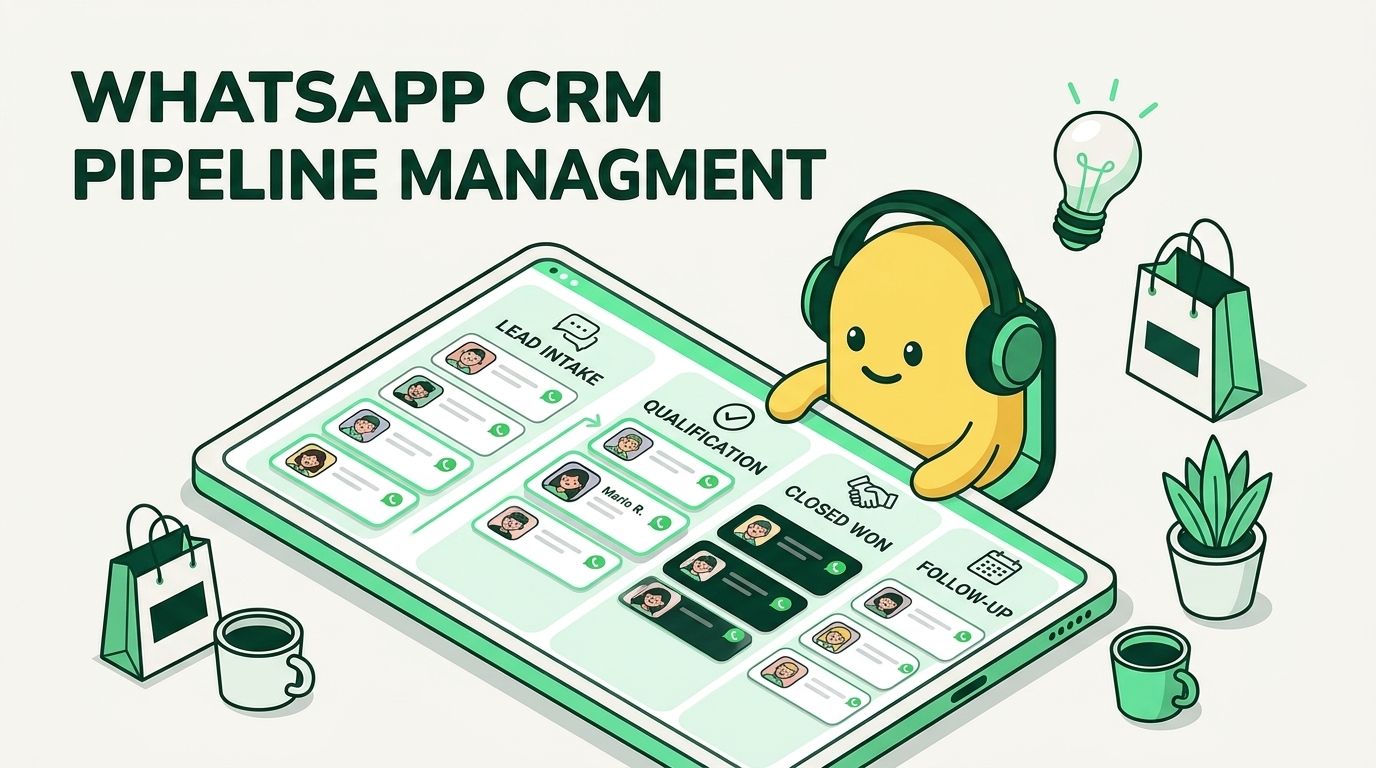
The foundation of a high-converting WhatsApp CRM is replacing the single, chaotic WhatsApp Shared Inbox with purpose-built Peach Pipelines.
Instead of treating every incoming WhatsApp message identically, pipelines allow you to categorize, route, and manage conversations based on buyer intent and lifecycle stage.
┌──────────────────────────────────────────────────────────────────────────────────┐
│                         INBOUND WHATSAPP CONVERSATIONS                           │
└────────────────────────────────────────┬─────────────────────────────────────────┘
                                         │
                                         ▼
┌──────────────────────────────────────────────────────────────────────────────────┐
│                             AUTOMATED AI TRIAGE FUNNEL                           │
│     (Intent Detection • Qualification • Instant FAQs • Sentiment Analysis)       │
└──────────────┬─────────────────────────┬──────────────────────────┬──────────────┘
               │                         │                          │
               ▼                         ▼                          ▼
┌─────────────────────────┐  ┌─────────────────────────┐  ┌─────────────────────────┐
│  SALES PIPELINE FUNNEL  │  │ SUPPORT & SLA ESCALATION│  │ UPGRADES & RENEWALS     │
│                         │  │                         │  │ PIPELINE                │
│ • New Lead              │  │ • Triage / Unassigned   │  │ • Account Review        │
│ • AI Qualified          │  │ • Tier-1 In Progress    │  │ • Expansion Pitch       │
│ • Demo / Consult Booked │  │ • Escalated (Manager)   │  │ • Renewal Confirmed     │
│ • Payment Link Sent     │  │ • Resolved              │  │                         │
│ • Closed Won            │  │                         │  │                         │
└─────────────────────────┘  └─────────────────────────┘  └─────────────────────────┘
2.1 Moving Beyond One-Size-Fits-All Inboxes
High-volume businesses handle distinctly different types of conversations every day. Using WhatsApp Pipelines, you can isolate these streams into dedicated funnels:
- AI Triage & Qualification Funnel:
- Intercepts all new, unknown inbound numbers.
- Powered by autonomous WhatsApp AI Agents, the system greets the customer naturally, understands their intent, answers basic queries, and collects key qualification data (e.g., product interest, budget, timeline, location).
- Sales Pipeline Funnel:
- Receives pre-qualified leads from the AI triage funnel.
- Tracks deals across clear stages:
New Inbound$\rightarrow$AI Qualified$\rightarrow$Demo Booked$\rightarrow$Proposal Sent$\rightarrow$Closed Won.
- Support & SLA Escalation Pipeline:
- Manages post-purchase enquiries, order tracking, and technical support.
- Stages track resolution status:
Triage$\rightarrow$Investigating$\rightarrow$Manager Escalated$\rightarrow$Resolved.
- Upgrades & Renewals Pipeline:
- Dedicated pipeline for existing customers eligible for account expansion, repeat purchases, or subscription renewals.
2.2 Shared Inbox vs. Bolted-On Helpdesk vs. Native WhatsApp CRM
| Feature / Capability | Flat Shared Inbox | Bolted-On Helpdesk / CRM | Native WhatsApp CRM (Peach) |
|---|---|---|---|
| Message Organization | Flat, single unsegmented list | Asynchronous email ticket queue | Multi-funnel structured Pipelines |
| Inbound Chat Triage | Manual by reps | Basic keyword auto-responders | Natural Language WhatsApp AI Agents |
| Customer Experience (CX) | Slow, manual, uncoordinated | Rigid IVR / Slow email-style delays | Instant, context-rich conversational CX |
| Stage-Level Automation | ❌ None | ⚠️ Limited to external workflows | ✅ Native stage playbooks & SLA timers |
| AI & Human Handoff | ❌ None | ⚠️ Basic bot handoff | ✅ Instant context summary + rep routing |
| CRM Data Sync | ❌ Manual entry | ⚠️ One-way webhook sync | ✅ Bi-directional real-time sync |
| Meta API Fees | ⚠️ Often 20-30% vendor markup | ⚠️ High per-agent seat markups | ✅ 0% markup on direct Meta Cloud API |
3. Supercharging Pipelines with Stage Playbooks & Automation
Structure alone is not enough; high-volume sales and support teams need automated stage playbooks to enforce response speed and drive pipeline progression.
3.1 What are Stage Playbooks?
A stage playbook is an event-driven automation rule attached directly to a specific pipeline stage. When a conversation enters or remains in a stage, the playbook automatically executes predefined actions.
[ Conversation Enters Stage: "Demo Booked" ] ──► [ Trigger Stage Playbook ]
                                                        │
         ┌──────────────────────────────────────────────┼──────────────────────────────────────────────┐
         │                                              │                                              │
         ▼                                              ▼                                              ▼
(Action 1: Set SLA Timer)                    (Action 2: Send WhatsApp)                     (Action 3: Sync CRM)
Fail-safe 15-min human response SLA          Interactive calendar confirmation          Update deal stage in HubSpot
3.2 Key Playbook Use Cases for Sales & Support
1. SLA Breach & Escalation Rules
- The Problem: A high-intent lead reaches out at 2:00 PM, but the assigned rep is away on a call. The lead cold-decays and purchases from a competitor.
- The Stage Playbook: When a chat enters
AI QualifiedorSupport Escalated, an automated 5-minute SLA timer starts. If unassigned or unresponded within 300 seconds, the playbook applies a high-priority red escalation badge and re-routes the chat to an active manager via round-robin distribution.
2. Automated Re-engagement Sequences
- The Problem: A rep sends a customized pricing proposal on WhatsApp, but the prospect stops replying. Reps manually forget to follow up with 30+ open deals.
- The Stage Playbook: If a conversation remains in
Proposal Sentfor >48 hours without a customer reply, the playbook automatically triggers a personalized, friendly WhatsApp follow-up template:“Hi {{first_name}}, just checking in on the proposal we shared on Tuesday! Do you have any questions on the tiered pricing breakdown?”
3. Automated Pre-Meeting Reminders
- The Problem: High no-show rates for scheduled product consultations or sales demos.
- The Stage Playbook: When moved to
Demo Scheduled, the playbook schedules automated WhatsApp reminders 24 hours and 1 hour before the meeting time, complete with a 1-click meeting access link.
3.3 Seamless Coexistence: Autonomous AI Agents & Human Reps
A modern WhatsApp CRM does not replace human reps with AI—it equips reps with autonomous assistants using Peach Co-Pilot.
[!TIP] The 3-Second Context Handoff: When an AI Agent triages a complex lead and hands off to a human rep, the native WhatsApp CRM generates a 3-bullet executive summary at the top of the chat thread:
- Intent: Looking for enterprise plan with custom API integration.
- Budget/Scale: 50 team seats, 100k monthly chat volume.
- Action Needed: Needs confirmation on SLA terms and custom contract approval.
This allows the human rep to jump in instantly without asking the customer to repeat a single detail.
4. Tech Stack Integration & Data Synchronization
A native WhatsApp CRM should act as the high-velocity operational front-end for your revenue team, while seamlessly keeping your enterprise stack in sync.
4.1 Bi-Directional CRM Sync (HubSpot, Zoho, Salesforce)
Reps should never have to manually copy-paste chat logs or update deal statuses in two different tools.
With native integrations like Peach’s HubSpot integration, your system maintains continuous bi-directional synchronization:
- Contact Creation: New WhatsApp numbers auto-create structured contact records in HubSpot/Salesforce with source attribution tags.
- Timeline Logging: Full WhatsApp chat transcripts, media attachments, and voice notes are logged automatically to the contact’s CRM timeline.
- Deal Stage Sync: Moving a conversation from
QualifiedtoProposal Sentin your WhatsApp Pipelines instantly updates the corresponding deal stage in HubSpot.
┌────────────────────────────────┐                 ┌────────────────────────────────┐
│      PEACH WHATSAPP CRM        │ ◄─────────────► │         HUBSPOT CRM            │
│  (Real-Time Rep Interface)     │  Bi-Directional │   (Central Corporate System)   │
└────────────────────────────────┘      Sync       └────────────────────────────────┘
4.2 AI Auditing via Model Context Protocol (MCP)
In 2026, leading revenue teams leverage Model Context Protocol (MCP) to connect their AI tools (such as Claude Desktop, Cursor, or internal AI agents) directly to their WhatsApp CRM data.
Using the Peach WhatsApp Business API MCP Server, sales directors and support ops leads can run natural language audits across their entire conversation history:
User Prompt (in Claude):
"Audit rep response times across all WhatsApp sales chats from yesterday. Highlight any leads where first response exceeded 10 minutes, and summarize the top 3 objections raised by prospects."
AI MCP Output:
Found 342 sales chats from August 11, 2026:
- Average First Response Time: 2 mins 14 secs
- SLA Breaches (>10 mins): 4 chats (All assigned to Rep #3 between 1:00-2:00 PM IST)
- Top 3 Objections Raised:
  1. Meta API messaging cost clarity (18 mentions)
  2. Custom CRM webhook integration support (12 mentions)
  3. Migration downtime from legacy WATI inbox (8 mentions)
4.3 Direct Meta Cloud API & Cost Transparency
Legacy WhatsApp vendors often pad their bills by charging 20% to 30% hidden markups on Meta’s official conversation charges, alongside per-agent seat fees (see our comparison on WATI Alternatives).
A modern WhatsApp CRM operates on the official Meta Cloud API platform:
- 0% Fee Markup: You pay Meta’s exact conversation rates directly to Meta, with zero vendor markups. Calculate your exact costs using our free WhatsApp Pricing Calculator.
- Official Compliance: Direct Cloud API connectivity eliminates risk of phone number bans or rate-limiting caused by unofficial web scraping wrappers.
5. Buyer’s Evaluation Checklist & 30-Day Implementation Blueprint
If you are evaluating WhatsApp CRM solutions for your sales or support organization, use this 5-point evaluation framework to ensure you choose a platform built for high-volume scale:
5.1 The 5-Point Evaluation Framework
[!IMPORTANT] Key Capabilities to Insist On:
- Multi-Funnel Pipeline Flexibility: Can you create distinct, isolated funnels for Sales, Support, and Renewals rather than a single flat inbox?
- Stage Playbooks & SLA Timers: Can you attach automated reminders, SLA timers, and escalation rules to individual pipeline stages?
- Natural AI Triage & Smooth Handoff: Does the system use natural language AI agents (rather than rigid IVR button trees) with instant context summaries upon human handoff?
- Bi-Directional CRM Sync: Does the platform sync contact records, chat timelines, and deal stages automatically with HubSpot or your corporate CRM?
- Direct Meta Cloud API Pricing: Does the vendor offer direct Meta Cloud API integration with zero hidden per-message markups?
5.2 30-Day Transition Blueprint
Transitioning your team from an unorganized shared inbox to a structured WhatsApp CRM takes under 30 days when following this phased approach:
[ Week 1: Audit & Map ] ──► [ Week 2: AI & Funnels ] ──► [ Week 3: Playbooks & Sync ] ──► [ Week 4: Go-Live ]
  - Map enquiry types         - Configure AI Triage           - Set SLA timers & rules         - Team onboarding
  - Define stage criteria     - Set up Sales/Support funnels  - Connect HubSpot / CRM sync     - Real-time SLA tracking
- Week 1: Audit & Lifecycle Mapping
- Review current WhatsApp conversation logs. Categorize inbound messages into Sales, Support, and Repeat Purchase streams.
- Define explicit entry/exit criteria for each pipeline stage.
- Week 2: Pipeline Architecture & AI Triage Setup
- Build your isolated funnels (
AI Triage,Sales Pipeline,Support Escalation). - Configure your system prompt and knowledge base for the AI Triage Agent to handle initial greetings and qualification queries.
- Build your isolated funnels (
- Week 3: Stage Playbooks & Tech Stack Integration
- Set up 5-minute SLA breach timers and automated escalation rules for high-intent stages.
- Connect your native HubSpot or CRM integration for automated contact and timeline logging.
- Week 4: Team Onboarding & Response SLA Optimization
- Train sales and support reps on managing chats within pipeline views.
- Launch live and monitor real-time SLA metrics, first-response times, and conversion rates.
Conclusion: Transform Your WhatsApp from a Message Queue into a Revenue Engine
Continuing to manage high-volume WhatsApp operations through flat shared inboxes or clunky email helpdesks guarantees lost revenue, rep burnout, and frustrated customers.
By deploying a native WhatsApp CRM, you transform WhatsApp from a chaotic messaging queue into a structured, automated revenue engine. With purpose-built pipelines, stage playbooks, natural AI triage, and zero-markup Meta Cloud API connectivity, your team can deliver the fast, personal, conversational experience modern buyers demand.
🚀 Ready to Upgrade Your WhatsApp Operations? Discover how Peach WhatsApp CRM enables high-volume sales and support teams to build automated pipelines, deflect routine tickets, and scale revenue on WhatsApp. Book a Demo Today.
The Peach Team
Expertise in WhatsApp Sales & AI