Repetitive messages pile up
The same questions keep coming in, important threads get buried, and follow-ups slip through tags that don't scale.
Built for busy professionals and business owners using the WhatsApp Business App. Get an AI assistant that can read, search, draft replies, and handle follow-ups with full context.
Free forever for one number. Fair use applies.
Let your AI find context, prepare replies, follow up, and keep conversations moving while you focus on higher-value work.
The same questions keep coming in, important threads get buried, and follow-ups slip through tags that don't scale.
Copying details from chats into sheets, calendars, CRMs, notes, and quotes turns quick conversations into admin work.
Unofficial plugins and browser hacks can be buggy, brittle, and risky for the WhatsApp number your work depends on.
Use cases
Every example below works with Lite. Peach gives Claude, ChatGPT, and other MCP-compatible tools the WhatsApp context and actions they need to respond, follow up, and get work done.

It pulls the conversation, sees she asked about bulk rates, checks the sheet you already have open, and writes the reply—with the right numbers in it.
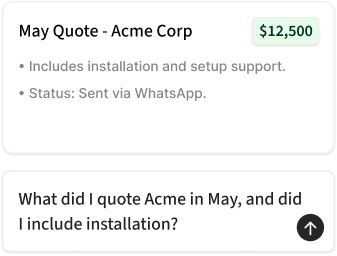
Skip forty minutes of thumb-scrolling on your phone. Retrieve contract parameters and previous commitments instantly inside your AI chat.
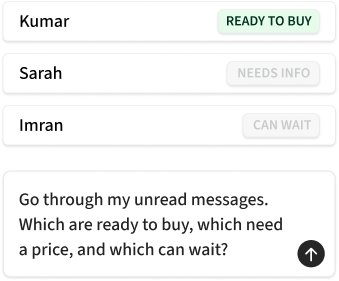
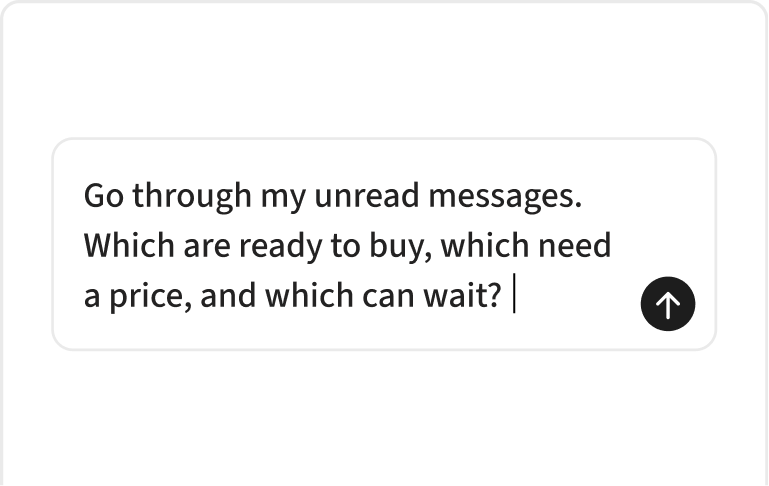
Thirty-one unread messages become a beautifully triaged checklist with drafts attached. Review and send the ones you want.
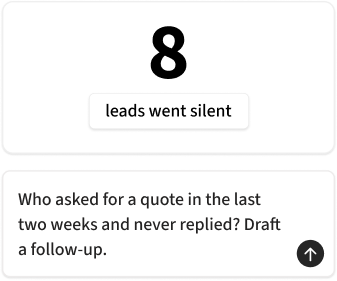
Ask your AI tool to check WhatsApp on a schedule, review new conversations, and follow up on threads that went quiet.
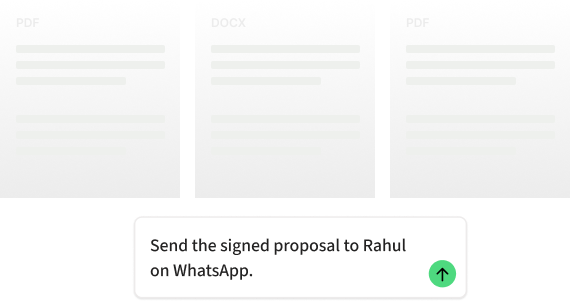
Attach proposals, images, invoices, or approved templates to any contact right from the keyboard you're already typing on.
Setup
No code, no unofficial plugins, no new inbox to learn. Link your number, choose your AI workspace, and start prompting.
 01
01
Sign in with Meta and choose the WhatsApp Business number you want Peach Co-Pilot to assist.
 02
02
Use Claude, ChatGPT, Cursor, or Zed. Peach configures the tools your assistant needs to read, search, and act.
 03
03
Prompt your AI assistant to find context, draft replies, triage conversations, or prepare follow-ups.
Pricing
Use WhatsApp from your AI tool with Lite, put a 24/7 assistant inside WhatsApp with Pro, or manage customer conversations together with Teams.
WhatsApp tools for your AI.
Free forever for one number, subject to fair use
Sign up freeIncludes
AI for your customers—and a personal operator for you.
Coming soon
Join the waitlistEverything in Lite, plus
One intelligent inbox for your whole team.
Guided demo and onboarding for organizations
Book a demoIncludes
Compliance and data ownership built for enterprise-grade safety.
No browser extensions, scraping tools, or unofficial packages. The methods that get business numbers suspended are not methods we use.
Your customer message logs are encrypted in transit and at rest. We do not sell your data, share it with third parties, or use it to train public model weights.
Explicitly exclude any phone number or contact from being queried. Keep your personal threads, family chats, and non-business threads completely invisible to the connection.
You are always in control. Disconnect Peach directly from your Meta Business Suite to terminate all data access and integrations instantly.
No. Co-existence means Peach connects alongside your app. Your phone, WhatsApp Business app, same numbers, and chats continue working exactly as they do now. You'll never notice a difference.
No, you need a WhatsApp Business account. The app is free, migration takes a few minutes, and Meta automatically transfers all your existing chat history and contacts over.
Any client that supports standard API integrations. This includes Claude, ChatGPT, Cursor, and Zed.
Yes. Lite gives your AI workspace MCP tools to read, search, draft, and send WhatsApp messages. You can also create scheduled sweeps in your AI tool to review new conversations and answer messages. You control the permissions and approval settings in the AI tool you choose.
Yes. Lite is free forever for one connected WhatsApp Business number, subject to fair use.
Yes. You can manage hidden contacts inside your Peach dashboard. Any phone numbers or contacts you exclude are ignored by the integration, keeping private conversations completely hidden from your AI.
If you disconnect, we revoke our API integrations immediately. All data indexed for search or context tools on your account is hard-deleted from our databases within 30 days.