How to Build a WhatsApp Chatbot in 2026: From API Setup to AI Agents

Jan 23, 2026 - 20 min read

TL;DR: WhatsApp chatbots are automated programs using AI to provide instant, human-like conversations on the WhatsApp platform, helping businesses offer 24/7 customer support, automate sales, send notifications, and personalize interactions without requiring users to leave the app. Businesses can build them using the WhatsApp Business API and various platforms, enabling features like order tracking, FAQs, product recommendations, and seamless handoffs to human agents when needed. 

If you are a B2C entrepreneur today, you already know the golden rule of modern engagement: you need to meet your customers where they are. In 2026, they aren’t just scrolling through emails or waiting on hold—they are chatting. With over two billion active users, WhatsApp has evolved from a simple messaging app into the world’s most powerful engine for commerce and customer care.

But here is the reality check: managing thousands of customer conversations manually is impossible. This is where WhatsApp chatbots come in.

Gone are the days of clunky, robotic auto-replies. As we look at the landscape for 2026, we are witnessing the rise of AI Agents—sophisticated, GenAI-powered bots that can understand context, process images, and even close sales without human intervention.

In this guide, we will walk you through exactly how to build a WhatsApp chatbot that doesn't just answer questions but actively grows your business. Whether you need to automate your support or launch a full-scale marketing campaign, this is your roadmap.

The Shift to Automation: Why You Can’t Ignore AI Agents

Before we dive into the technical setup, it is vital to understand what we are building. WhatsApp chatbots are automated software programs designed to simulate human conversation on the WhatsApp platform. They utilize Artificial Intelligence (AI) and Natural Language Processing (NLP) to understand user intent, allowing you to provide 24/7 support and personalize interactions without requiring users to leave the app.

For B2C companies, the stakes are high. Customers expect instant gratification. A delay of ten minutes can cost you a sale. By integrating AI-powered bots, you unlock:

  • 24/7 Availability: Your business never sleeps, even if your support team does.

  • Instant Engagement: Users are already on WhatsApp; response rates here dwarf traditional email marketing.

  • Efficiency: AI agents can handle repetitive tasks—like tracking orders or answering FAQs—reducing the reliance on human agents for routine work.

Whether you are looking to deploy WhatsApp marketing automation or streamline customer service, the technology has shifted from simple scripts to intelligent conversations.

Part 1: The Foundation – Understanding the Ecosystem

Many entrepreneurs make the mistake of trying to run a business bot on their personal WhatsApp app. This is a fast track to getting blocked. To build a legitimate, scalable chatbot, you must understand the ecosystem.

The WhatsApp Business API

To access advanced automation, you cannot use the standard WhatsApp app or even the standard WhatsApp Business App. You need the WhatsApp Business API (also known as the WhatsApp Business Platform),.

The API is the backend infrastructure that allows medium to large businesses to integrate chatbots, connect with CRMs, and send messages at scale. It is the "engine" that powers features like:

  • Interactive Messages: List menus and reply buttons.

  • WhatsApp Flows: In-app forms for booking appointments or collecting leads.

  • Blue Tick Verification: The badge of authenticity for your brand.

The Role of the WhatsApp Technology Partner

Here is the catch: you typically do not access the API directly. Meta (WhatsApp’s parent company) relies on a network of Business Solution Providers (BSPs) or Technology Partners

Think of the Partner as the bridge between your business and Meta’s code. Partners like Peach provide the user-friendly interface you need to manage your contacts, templates, and chats without needing to be a software engineer. Choosing the right partner is critical, as they will determine your pricing structure and the support you receive during the setup process.

Part 2: Strategic Growth – How AI Drives B2C Revenue

Before you start building, you need a strategy. In 2026, WhatsApp chatbots using AI are not just for answering "Where is my order?" queries. They are active growth engines. Based on current trends, here are the three pillars of B2C growth you should target.

1. In-Chat Commerce and Sales

The gap between chatting and buying has closed. Modern bots facilitate Sales & Marketing by offering product recommendations and handling cart abandonment reminders directly in the chat thread.

  • Catalog Integration: Your AI agent can pull products from your catalog and present them to customers based on their preferences.

  • Payments: In regions like India, Brazil, Mexico, and Indonesia, bots can now process payments directly within the app, removing friction from the buying process. In India, native UPI integration allows users to pay without leaving the chat. In Brazil, the integration of Pix has revolutionized in-chat checkout.

2. Lead Generation on Autopilot

Imagine generating leads while you sleep. AI-powered bots excel at engaging users who interact with your brand.

  • Social Triggers: Platforms like Peach allow you to trigger a WhatsApp conversation automatically when a user comments on your Instagram post or Facebook ad.

Interactive Forms: Instead of sending a user to a slow-loading website, you can use WhatsApp Flows to capture their details (Name, Email, Preferences) within the chat window.

3. Proactive Customer Retention

Growth isn't just about new customers; it's about keeping the ones you have. Chatbots are perfect for sending Notifications that add value rather than annoyance.

  • Back-in-Stock Alerts: Automatically notify interested buyers when a hot item returns.

  • Delivery Updates: Proactive alerts regarding shipping status reduce inbound support tickets significantly.

Part 3: Step 1 – The Pre-Build Checklist & Setup

Ready to build? Let’s get the logistics out of the way. To launch a bot, you need to clear a few hurdles with Meta.

1. Register a WhatsApp Business Account

To get started, you must have a verified Meta Business Portfolio (formerly Business Manager). This proves to Meta that you are a legitimate entity. You will also need a dedicated phone number.

Crucial Tip: This number cannot be currently active on any other WhatsApp account (personal or business app). If you want to use an existing number, you must delete the account associated with it first.

2. Connect to the API via a WhatsApp Tech Partner

This is where you choose your "connector." As mentioned, you will likely use a tool like Peach to connect to the API.

Action Item: Sign up for the WhatsApp Business Platform through your chosen provider. They will guide you through the "Embedded Signup" flow, which links your phone number to the API in minutes.

Part 4: Step 2 – Choosing Your AI Agent Builder

This is the most critical decision you will make. In 2026, the market is split between two types of technologies: Rule-Based Bots and AI-Powered Bots.

Rule-Based vs. AI-Powered: What’s the Difference?
  • Rule-Based Bots: These follow a strict decision tree. If the user says "A," the bot says "B." They utilize buttons and list menus to guide users through predefined flows. These are great for simple navigation but fail when a user asks a complex question.

  • AI-Powered Bots (GenAI): These use Large Language Models (LLMs), similar to GPT-4. They can understand free-form text, handle complex queries, and even process multi-modal inputs like images, voice notes, and PDFs.

Top Platforms for Building Bots in 2026

Your choice of platform depends entirely on your business goals. Here is a breakdown of the top players:

1. Botpress – For the Customizer

If you want to build a highly sophisticated AI Agent, Botpress is a top contender. It allows for deep customization and features a one-click WhatsApp configuration with over 190 integrations.

  • Best For: Tech-savvy entrepreneurs who want a bespoke agent that connects to multiple software tools

2. Tidio – For Customer Support (SMBs)

Tidio is famous for its Lyro AI agent. Lyro is a specialized support bot designed to resolve up to 67% of routine queries automatically without human intervention.

  • Best For: E-commerce stores and small businesses that want to automate support immediately.

3. ManyChat – For Social Marketing

If your growth strategy relies on Instagram or Facebook, ManyChat is the industry standard. Its strength lies in "growth tools"—triggering WhatsApp bots from social media actions like comments or story replies.

  • Best For: Marketers and influencers focused on lead generation.

4. Peach – For Growth Teams

Peach is designed for the sales cycle. It isn't just a bot; it's a Growth Engine that lives inside WhatsApp. It automates the marketing leads to Qualified Sales leads (MQL to SQL), Handles drop-offs at any stage and helps with conversion from the first "Hello" to converting the customer.

  • Best For: High-ticket B2C sales teams.

While tools like WATI or ManyChat are options, we are biased towards Peach as it stands out for high-ticket sales teams. Peach also offers a enterprise grade Shared Inbox for Sales teams to track every customer conversation and measure the productivity of Agents.

Part 5: Step 3 – The How to build WhatsApp Chatbot

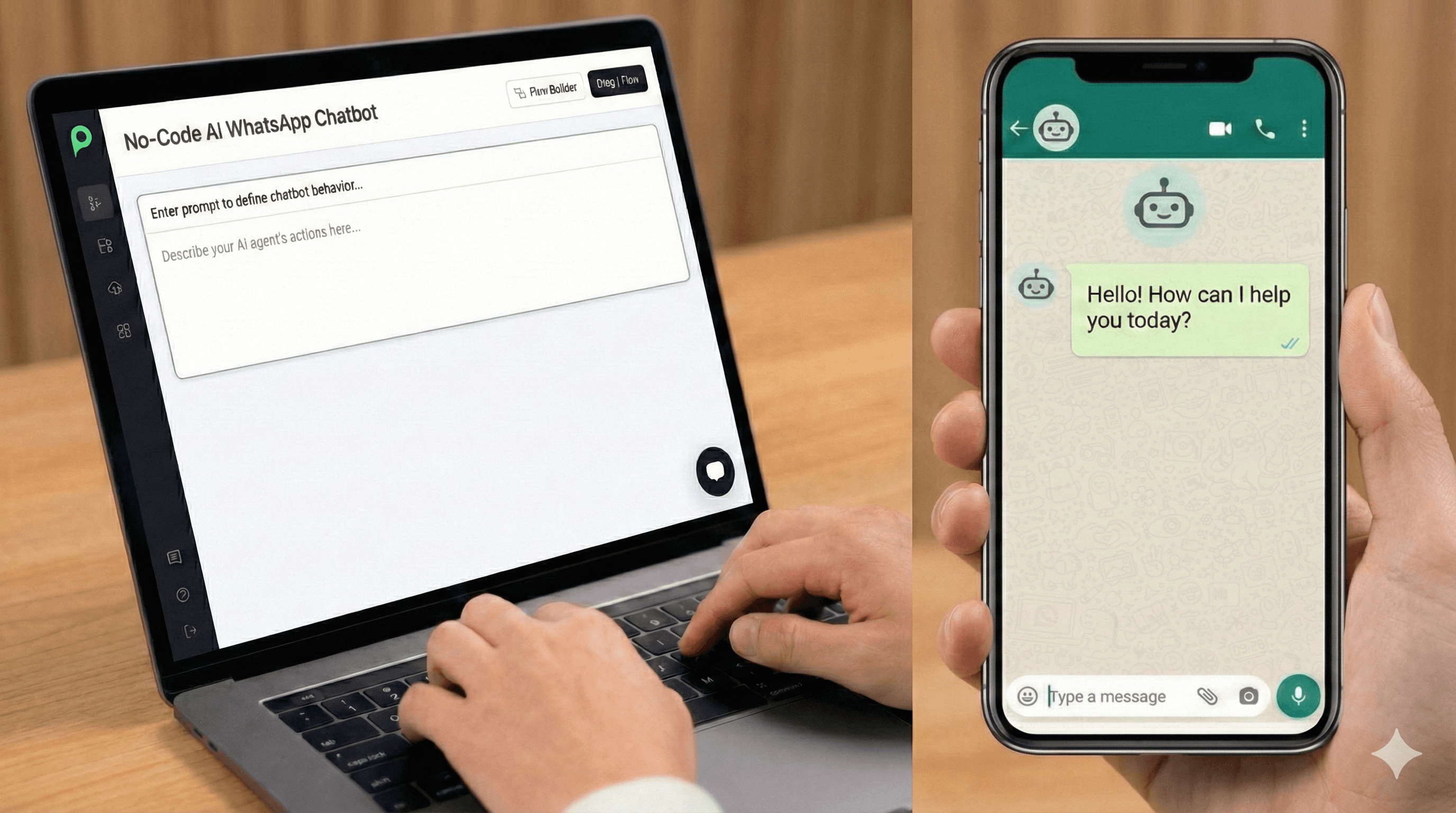
Now that you have your number and your platform, it is time to build. Do not worry—modern platforms offer no-code builders, meaning you can drag and drop your way to a functional bot.

1. Design the Conversation Flow

Start with the basics. Use your platform's visual builder to design the "Happy Path"—the ideal journey a customer takes.

  • The Greeting: This is the first message your user sees. Make it welcoming and provide clear options (e.g., "Check Order," "Talk to Support," "See Products").

  • The Menu: Even if you use AI, providing buttons helps guide the user and reduces the cognitive load.

2. Train Your AI

If you are using an AI-powered bot, you don't need to script every answer. Instead, you need to train it.

  • Upload Your Knowledge Base: Most platforms allow you to upload your website URL, PDF documents, or a list of FAQs. The AI scrapes this data to generate natural-sounding answers.

Refine the Persona: Give your bot a personality. Should it be professional and crisp, or quirky and fun? This ensures the AI & NLP generate responses that match your brand voice.

3. The Safety Net: Multi-Agent Handover

No matter how smart your AI is, some issues require a human touch. A frustrated customer screaming at a robot is a disaster waiting to happen.

  • Hybrid Approach: Configure your bot for Multi-Agent Handover with Human-in-the-loop. Peach’s uniqueness here helps monitor the conversation sentiment. If the AI detects anger or a complex query it cannot resolve, it seamlessly transfers the chat to a live human agent. This hybrid model ensures efficiency without sacrificing empathy.

Part 6: Advanced Features for 2026

To truly stand out, you need to leverage the features that define the current era of WhatsApp automation.

WhatsApp Flows

We mentioned this earlier, but it bears repeating. WhatsApp Flows allow you to build structured interactions.

  • Example: A customer wants to book a consultation. Instead of typing "Tuesday at 4 PM" and hoping the bot understands, you serve them a visual calendar inside the chat. They click a slot, and it’s booked. This significantly reduces drop-off rates.

Multilingual Support

The world is your market. Modern AI bots possess the capability to automatically detect the user's language and translate messages instantly.

  • Strategy: If you are selling globally, enable auto-translation. Your bot can chat in Spanish to a customer in Mexico and German to a customer in Berlin simultaneously, all while referencing the same English knowledge base.

Part 7: Compliance and Launch

You have built the bot, trained the AI, and set up the handover. But you cannot just start spamming users. WhatsApp maintains a high standard for user experience, enforced through strict policies.

Meta Template Approval

If a customer messages you, you have a 24-hour window to reply with free-form messages. However, if you want to message a customer (to send a shipping update or a marketing offer), you must use a Message Template.

  • The Rule: All outbound templates must be submitted to Meta for approval before use. This prevents spam and ensures content quality.

  • The Categories: Templates are categorized into Utility (receipts), Authentication (OTPs), and Marketing (offers).

Testing & Deployment

Before you hit the "Live" button:

  1. Simulate Conversations: Use the "Test" feature in your builder to run through every possible scenario. Try to break your bot with ambiguous questions to see how the AI responds.

  2. Internal Beta: release the bot to your internal team or a small group of loyal customers first.

  3. Launch: Once you are confident, integrate the bot with your public WhatsApp number and start promoting it via QR codes on your website and social media channels.

The previous section covered the Building phase—getting your API, choosing a platform, and designing your agent. However, for a truly "comprehensive" 2026 guide, we must cover what happens after the launch: Marketing (getting traffic), Optimization (Analytics), and Future-Proofing.

Here are the remaining parts of your guide, focusing on Growth Strategy and Operational Excellence.

Part 8: The Traffic Strategy – How to Fill Your Funnel

Building the best AI agent in the world means nothing if nobody talks to it. Unlike a website, you cannot rely on SEO to drive traffic to a WhatsApp number. You need proactive entry points.

1. The Click-to-WhatsApp Ad Strategy

In 2026, the most direct line to revenue is the Click-to-WhatsApp Ad. These are Facebook or Instagram ads that, when clicked, instantly open a chat thread with your business instead of a landing page.

  • Why it works: You capture the lead immediately. The moment they send the pre-filled "I’m interested" message, you have their phone number.

  • The Tool: Platforms like Peach are specialized for this, allowing you to retarget users who clicked the ad but didn't complete the purchase.

2. Social Triggers (Organic Growth)

If you have a following on Instagram or Facebook, you are sitting on a goldmine.

  • Comment Automation: Using tools like ManyChat, you can set up a trigger where, if a user comments "DISCOUNT" on your post, your bot instantly DMs them a link to your WhatsApp chat.

  • The "Link in Bio": Replace your static website link with a wa.me link that triggers a specific conversation flow (e.g., wa.me/12345?text=IwantMyFreeGuide).

3. QR Codes for Physical Retail

For brick-and-mortar businesses, QR codes are the bridge between offline and online. Place them on receipts, packaging, or table tents.

  • Use Case: A restaurant places a QR code on the table: "Scan to order or get the Wi-Fi password." The scan opens WhatsApp, the bot provides the Wi-Fi code, and then asks, "Would you like to see our dessert menu?".

Part 9: Retention – The Art of sending Broadcasts

WhatsApp is unique because it pushes notifications directly to the user's lock screen. However, with great power comes great responsibility (and strict rules).

1. Promotional Broadcasts

You can send bulk messages to thousands of opted-in customers at once. This is perfect for Black Friday sales or product launches.

  • The Requirement: You must use a Meta-approved template for these messages.

  • The Strategy: Segment your audience. Don't send a "Men's Shoe Sale" alert to customers who only buy women's apparel. Platforms like Peach allow for detailed tagging and segmentation to keep engagement high.

2. Utility Notifications

These are messages users want to receive, and they have the highest open rates.

  • Order Tracking: "Your package is out for delivery."

  • Appointment Reminders: "See you tomorrow at 2 PM. Reply 'RESCHEDULE' if you can't make it".

  • Back-in-Stock Alerts: "The item you looked at is back."

Part 10: Analytics & Optimization – Measuring Success

How do you know if your GenAI bot is actually working? You need to track the right metrics inside your Peach’s dashboard.

1. Key Metrics to Watch

Session Time: How long do users stay in the chat? (Too short = boring; Too long = confusing).

  • Handover Rate: How often does the AI fail and pass the user to a human? If this is high (e.g., >40%), your AI needs better training or clearer menu options.

Conversion Rate: Percentage of users who complete a goal (e.g., clicked the "Buy" link or booked a meeting).

2. A/B Testing Templates

Never rely on a single marketing message.

  • Test A: "Hey [Name], check out our new sale!"

  • Test B: "🔥 Flash Sale Alert: 20% off for the next hour only."

  • Result: Track which template gets more replies and double down on the winner.

Part 11: Troubleshooting & Compliance (The Safety Net)

Running a WhatsApp automation channel comes with risks. Here is how to stay safe in 2026.

1. Avoiding the ‘Block’

Meta takes spam seriously. If too many users block or report your number, your Quality Rating will drop. If it drops too low, Meta will restrict your ability to send template messages.

  • The Fix: Ensure every user has explicitly opted-in to receive messages. Always provide an easy "Stop" or "Unsubscribe" button in your footer.

2. Managing Costs

The WhatsApp Business API is not free. You pay per conversation (prices vary by country and category—Marketing, Utility, or Service).

  • Marketing Conversations: Most expensive.

  • Service Conversations: (User-initiated) are generally cheaper or free within a 24-hour window.

  • Tip: Try to resolve queries within the 24-hour "Service" window to avoid opening new, chargeable sessions.

Part 12: Future-Proofing Your Bot for 2027

Technology moves fast. To ensure your build lasts, keep these emerging trends on your radar.

1. Voice-First Interaction

As LLMs get faster, users—especially in markets like India and Brazil—are shifting to voice notes.

The Tech: Ensure your bot can transcribe inbound voice notes, understand the intent, and reply with text (or even generated audio). This is a core capability of advanced AI-Powered Bots.

2. Multi-Modal Processing

Users will increasingly send images ("Does this part fit my car?" sends a photo of engine).

  • The Tech: GenAI models like GPT-4o allow bots to "see" images. Platforms like Botpress are leading the charge in integrating these vision capabilities.

3. Hyper-Personalization (The "Agent" Concept)

We are moving away from "Chatbots" to "AI Agents." An agent remembers past conversations ("I see you bought the size Medium last time, do you want the same size?").

  • The Tech: Connect your bot to your CRM (like Kommo) so it has access to purchase history and user preferences.

Final Checklist: Launching Your 2026 Bot

If you have followed this guide, you are ready to go. Here is your final "Go-Live" checklist:

  1. [ ] Verified Business: Meta Business Portfolio is verified.

  2. [ ] API Connected: Meta Partner (e.g., Peach) is linked to your number.

  3. [ ] AI Agent Tested: You have built your 1st AI agent, checked every scenario and tested "unhappy paths".

  4. [ ] Handover Set: Live agents are logged in and ready to accept chat transfers.

  5. [ ] Templates Approved: Your marketing messages are green-lit by Meta.

  6. [ ] Traffic Ready: Your "Click-to-WhatsApp" ads or social links are live.

Welcome to the future of B2C engagement. Good luck building!

Conclusion: The Future is Conversational

Building a WhatsApp chatbot in 2026 is no longer a technical nightmare reserved for enterprise giants. With accessible no-code platforms such as Peach, any B2C entrepreneur can deploy an AI agent capable of driving real growth.

The shift is clear: customers want to chat, not call. By combining the 24/7 efficiency of Generative AI with the personal touch of human agents when needed, you create a customer experience that is instant, helpful, and highly converting.

Don't let your customers wait. Start building your WhatsApp strategy today, and turn your most popular communication channel into your most profitable one.

Sign up: app.trypeach.ai/signup (14 day free trial)

More Resources: Best WhatsApp Shared Inbox for Scaling your Sales team in 2026

Ready to dive in?

Create an outstanding experience for your users using AI.

Ready to dive in?

Create an outstanding experience for your users using AI.